Website Migration Services in Texas – Safe & SEO-Protected Process

Website Migration Services in Texas – Safe & SEO-Protected Process

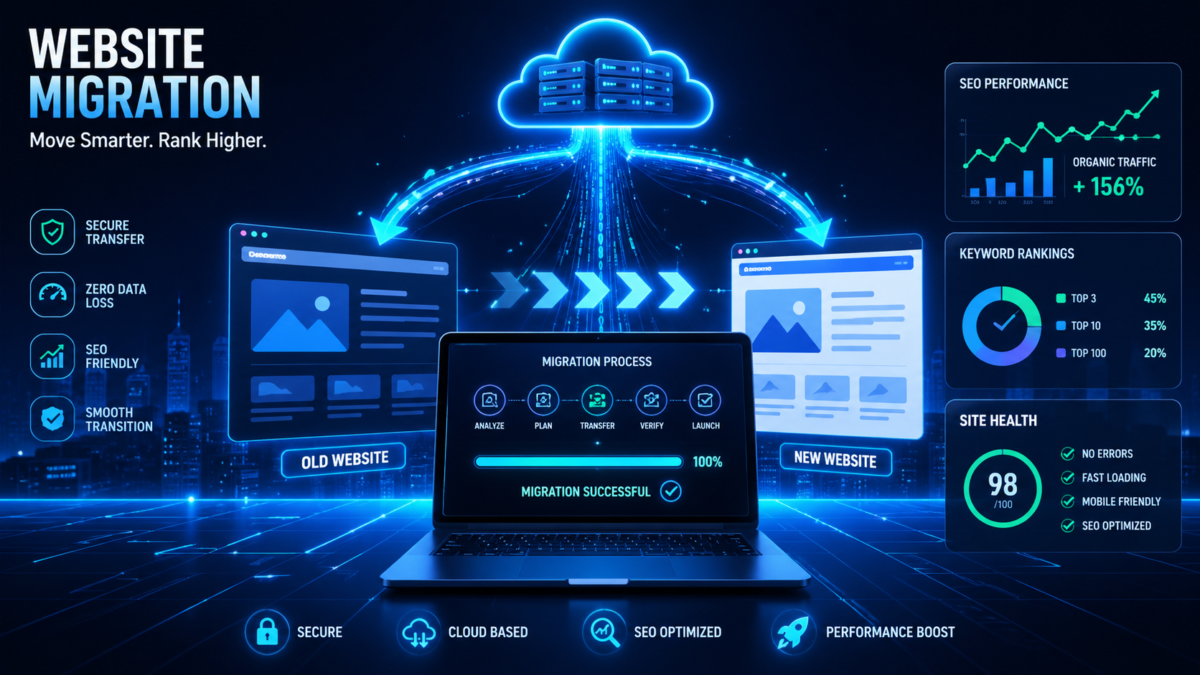
Website migration sounds simple on paper. Move a website from one platform, server, or domain to another, and everything should continue running smoothly. But in reality? One wrong move can wipe out years of SEO progress overnight. Traffic can disappear, rankings can crash, and leads can dry up faster than a Texas summer road.

That is exactly why businesses across Texas are investing heavily in professional website migration services. Whether it is an ecommerce store in Houston, a law firm in Dallas, a SaaS startup in Austin, or a healthcare company in San Antonio, companies are realizing that migration is not just a technical task anymore. It is a business survival strategy.

Recent SEO studies show that improper migrations can lead to traffic losses of 30% to 60%, while poorly planned domain changes may take months to recover. Some businesses never fully regain their rankings. (Studio Ubique)

At the same time, businesses that execute migrations correctly often improve performance, increase page speed, strengthen security, and create a better user experience. That is the difference between a rushed migration and an SEO-protected migration strategy.

Understanding Website Migration

What Website Migration Actually Means
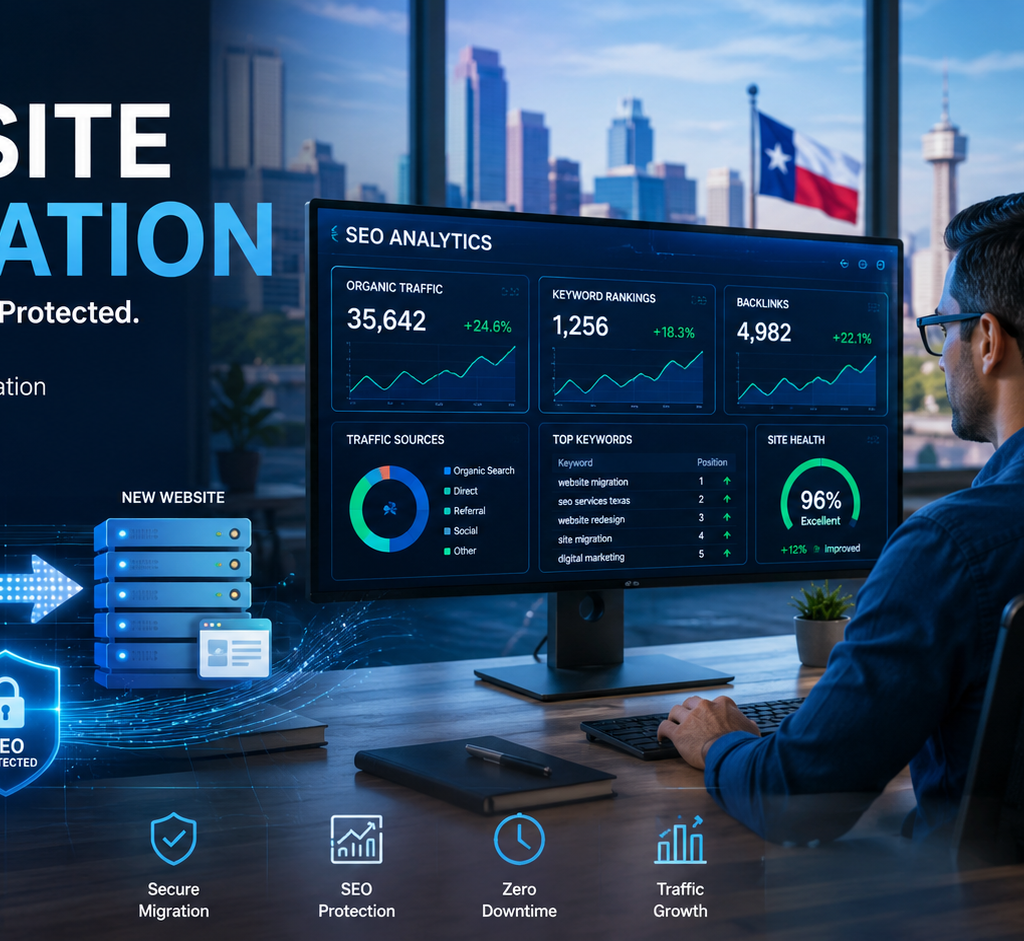
A website migration is much more than moving files from one hosting server to another. Think of it like relocating an entire business headquarters while trying to keep customers, phone calls, branding, and operations running without interruption. Every page, image, URL, database, and SEO signal must transition perfectly. If even one important element breaks during the move, search engines may interpret the new version of the site incorrectly.

A migration can involve changing a domain name, redesigning the website, switching content management systems, upgrading hosting infrastructure, or moving from HTTP to HTTPS. According to recent SEO migration research, businesses are increasingly migrating websites to improve performance, security, scalability, and mobile optimization. (Candidsky)

Texas businesses especially face intense online competition. Cities like Austin, Houston, and Dallas are crowded with tech startups, ecommerce brands, local service providers, and digital-first companies competing for Google visibility. Losing rankings during migration can directly affect revenue. Imagine a roofing company ranking on page one suddenly disappearing after migration. Phone calls stop immediately. Leads vanish. That is why migrations require both developers and SEO specialists working together.

Modern website migration is no longer just about launching a prettier website. It is about preserving digital authority. Google has spent years understanding your pages, backlinks, content structure, and user signals. Migration changes those signals. If handled properly, rankings stay stable. If handled poorly, search engines become confused and visibility drops dramatically.

Common Reasons Businesses Migrate Websites

Texas companies migrate websites for many reasons. Some businesses outgrow their current platforms. Others need better performance, security, or ecommerce functionality. A company using outdated systems often struggles with slow loading speeds, poor mobile responsiveness, and limited scalability. In today’s competitive environment, those problems can seriously damage conversion rates.

One major reason businesses migrate is platform modernization. Many companies move from older systems to platforms like WordPress, Shopify, Magento, or custom enterprise frameworks. Ecommerce businesses especially require better checkout systems, faster loading speeds, and stronger mobile experiences. Considering that over 62% of web traffic now comes from mobile devices, mobile optimization has become a non-negotiable requirement. (Forbes)

Another common reason is rebranding. Companies change business names, merge with other brands, or shift market positioning. That usually requires domain migration and updated site architecture. Hosting migration is also common among growing businesses that need stronger security, faster servers, or cloud-based infrastructure.

SEO improvements are another driving force. Businesses sometimes discover technical issues limiting search visibility. Migrating to a cleaner, optimized structure can improve crawlability, site speed, and user experience. When executed properly, migration becomes an opportunity rather than a risk.

Why Texas Businesses Need Professional Migration Services

The Rapid Digital Growth Across Texas

Texas has become one of the fastest-growing digital economies in the United States. Austin has transformed into a technology powerhouse. Dallas continues expanding its corporate sector. Houston dominates energy and healthcare innovation, while San Antonio is rapidly growing in ecommerce and local services. This digital expansion means businesses are competing aggressively online.

Search visibility now directly affects business growth. Consumers rely heavily on Google searches before purchasing products or hiring services. Research shows that nearly 75% of users never scroll beyond the first page of Google results. (SEO SHERPA™) That means even small ranking losses during migration can create major financial consequences.

Texas businesses also face increasing customer expectations. Users demand fast-loading websites, secure browsing experiences, mobile responsiveness, and seamless navigation. Older websites often fail to meet these standards. Migration allows businesses to modernize while staying competitive in search rankings.

Professional migration services provide structured planning, SEO protection, and technical expertise. Instead of gambling with organic traffic, businesses gain a roadmap that minimizes risks. This becomes especially important for ecommerce stores where downtime or indexing problems can instantly affect revenue.

Risks of DIY Website Migration

Many businesses underestimate migration complexity. They assume moving content and updating designs will be straightforward. Unfortunately, DIY migrations often create catastrophic SEO problems.

One of the biggest mistakes is failing to implement proper 301 redirects. Search engines rely on redirects to understand where old pages moved. Without them, Google encounters broken URLs and treats pages as missing. Recent migration studies suggest that redirect mistakes account for the majority of post-migration traffic losses. (Studio Ubique)

Another major risk involves metadata loss. During migration, title tags, meta descriptions, structured data, canonical tags, and internal linking structures can disappear. Search engines suddenly lose critical ranking signals. Rankings begin slipping almost immediately.

Technical SEO errors are also common. Businesses forget to update XML sitemaps, block search engines accidentally through robots.txt settings, or launch staging environments publicly. These mistakes confuse crawlers and damage indexing performance.

Imagine rebuilding a highway but forgetting to place road signs. Drivers become lost. Search engines react the same way during poorly executed migrations. Professional migration services exist specifically to prevent these costly mistakes.

Types of Website Migrations

Domain Migration

Domain migration happens when a business changes its website address. This often occurs during rebranding, mergers, or market repositioning. While it sounds simple, domain migration carries serious SEO risks because search engines must transfer authority from the old domain to the new one.

Google needs time to understand that the new domain represents the same business. Proper redirect implementation, sitemap submission, and Search Console updates are essential. Without those steps, rankings can collapse temporarily or permanently.

CMS Migration

CMS migration involves switching content management systems. Businesses often move from outdated systems to modern platforms like WordPress or Shopify. This improves flexibility, security, and content management efficiency.

CMS migration also affects page structures, URLs, templates, and database organization. Every detail must be carefully mapped to preserve SEO performance.

Hosting Migration

Hosting migration occurs when businesses change hosting providers or server infrastructure. The goal is usually better speed, uptime, or scalability. Slow hosting damages both user experience and SEO rankings, making server upgrades increasingly common.

Ecommerce Platform Migration

Ecommerce migrations are among the most complex projects. Thousands of product pages, categories, customer records, and payment systems must move correctly. Even small technical issues can affect sales and indexing.

The SEO Risks During Website Migration

Loss of Organic Rankings

The biggest migration fear is losing organic rankings. Businesses spend years building authority, backlinks, and content relevance. Poor migration execution can erase that progress quickly.

Search engines evaluate site structure carefully. Sudden URL changes without proper redirects create confusion. Rankings drop because Google no longer understands content relationships.

Broken URLs and Redirect Problems

Broken links damage both SEO and user experience. Customers landing on 404 pages become frustrated and leave immediately. Search engines interpret excessive errors as poor site quality.

301 redirects are essential because they transfer authority from old URLs to new pages. Proper redirect mapping preserves rankings and keeps visitors flowing smoothly through the site.

Indexing and Crawl Errors

Search engines rely on crawling systems to discover and understand content. Migration errors often block crawlers unintentionally. Missing sitemaps, duplicate content, incorrect canonical tags, and robots.txt mistakes create indexing chaos.

Safe & SEO-Protected Migration Process

Pre-Migration SEO Audit

Every successful migration starts with a detailed SEO audit. Professionals analyze rankings, backlinks, indexed pages, metadata, and site architecture before making changes. This creates a baseline for protecting performance.

The audit identifies high-value pages generating traffic and conversions. Those pages receive special attention during migration planning.

URL Mapping and 301 Redirects

URL mapping acts like a relocation blueprint. Every old URL must connect properly to its new destination. This ensures both users and search engines reach the correct content.

A well-executed redirect strategy preserves link equity and minimizes ranking disruptions. Studies consistently show that proper redirects dramatically reduce migration-related traffic loss. (Studio Ubique)

Technical SEO Preservation

Technical SEO includes metadata, schema markup, canonical tags, internal links, XML sitemaps, and mobile optimization. These elements guide search engines through the new site structure.

Professional migration teams preserve these signals carefully during transition.

Website Testing Before Launch

Testing prevents disasters. Migration teams review redirects, page speed, mobile responsiveness, indexing rules, forms, and checkout systems before launch.

Think of this step like inspecting an airplane before takeoff. Skipping inspection increases the chance of failure dramatically.

Post-Migration SEO Monitoring

Google Search Console Tracking

Migration does not end after launch. Continuous monitoring is critical. SEO teams track indexing reports, crawl errors, impressions, clicks, and ranking fluctuations through Google Search Console.

Monitoring helps identify problems quickly before rankings suffer long-term damage.

Traffic and Ranking Recovery

Temporary ranking fluctuations are common after migration. Search engines need time to process structural changes. Businesses that follow SEO best practices typically recover faster and maintain stronger visibility.

Recent migration guides suggest recovery may take weeks or months depending on site complexity. (Dream Warrior Group) Continuous optimization speeds up stabilization.

Choosing the Right Website Migration Company in Texas

Essential Features to Look For

Choosing the right migration company is crucial. Businesses should look for teams with expertise in SEO, development, analytics, hosting, and platform architecture.

The best migration providers offer:

FeatureWhy It Matters
SEO AuditProtects rankings during migration
Redirect PlanningPrevents broken pages
Technical SEO ExpertisePreserves indexing signals
Staging Environment TestingReduces launch risks
Post-Launch MonitoringDetects ranking problems early

Questions to Ask Before Hiring

Before hiring a migration agency, businesses should ask important questions:

  1. How will SEO rankings be protected?
  2. Will redirects be mapped manually?
  3. How is downtime minimized?
  4. What monitoring tools are used after launch?
  5. Can they provide migration case studies?

Strong answers indicate experience and reliability.

Website Migration Costs in Texas

Pricing Factors

Migration pricing depends on complexity. Small websites may cost a few thousand dollars, while enterprise migrations can reach much higher budgets.

Factors affecting cost include:

  • Website size
  • Ecommerce functionality
  • Platform complexity
  • SEO requirements
  • Custom development needs
  • Content volume

ROI of Professional Migration Services

Some businesses hesitate because migration services seem expensive initially. But losing rankings, leads, and revenue costs far more. Professional migration acts like insurance for your online visibility.

A successful migration can improve speed, conversions, security, and scalability while preserving SEO authority. That long-term value often outweighs upfront costs significantly.

Future of Website Migration and SEO

Search engines are evolving rapidly with AI-driven search experiences and advanced indexing systems. Migration strategies must now consider both traditional rankings and AI visibility.

Recent SEO reports highlight the growing importance of structured data, mobile optimization, and content clarity for AI-generated search results. (BrightEdge) Businesses migrating websites in Texas need future-ready strategies rather than outdated approaches.

Website migrations will increasingly focus on:

  • AI search optimization
  • Core Web Vitals
  • Mobile-first performance
  • Cloud scalability
  • Enhanced security
  • Faster indexing systems

Companies investing in professional migration today position themselves for stronger digital growth tomorrow.

Conclusion

Website migration is one of the most sensitive digital projects a business can undertake. Done correctly, it creates opportunities for growth, improved performance, stronger branding, and better SEO visibility. Done poorly, it can destroy years of hard-earned rankings and traffic.

Texas businesses operate in highly competitive digital markets where online visibility directly affects revenue. That makes SEO-protected migration services essential rather than optional. Professional planning, technical precision, redirect management, and post-launch monitoring all work together to ensure a safe transition.

The smartest businesses treat migration like a strategic investment instead of a simple technical update. They protect their search authority while building a faster, stronger, and more scalable online presence for the future.

FAQs

1. How long does a website migration usually take?

A small website migration may take a few weeks, while enterprise-level migrations can take several months depending on complexity, testing requirements, and SEO planning.

2. Will website migration hurt SEO rankings?

Temporary fluctuations are common, but proper migration planning with redirects and SEO preservation minimizes ranking loss significantly.

3. What is the most important part of SEO migration?

301 redirects are one of the most critical elements because they preserve link equity and guide search engines to the correct pages.

4. Should businesses hire professional migration experts?

Yes. Professional migration services reduce risks, preserve rankings, and prevent costly technical mistakes that often occur during DIY migrations.

5. What industries in Texas benefit most from website migration services?

Ecommerce, healthcare, legal, SaaS, real estate, and local service businesses benefit heavily because they rely strongly on organic search traffic and online conversions.
Shopify Developers in Florida – What to Look for Before Hiring (2)

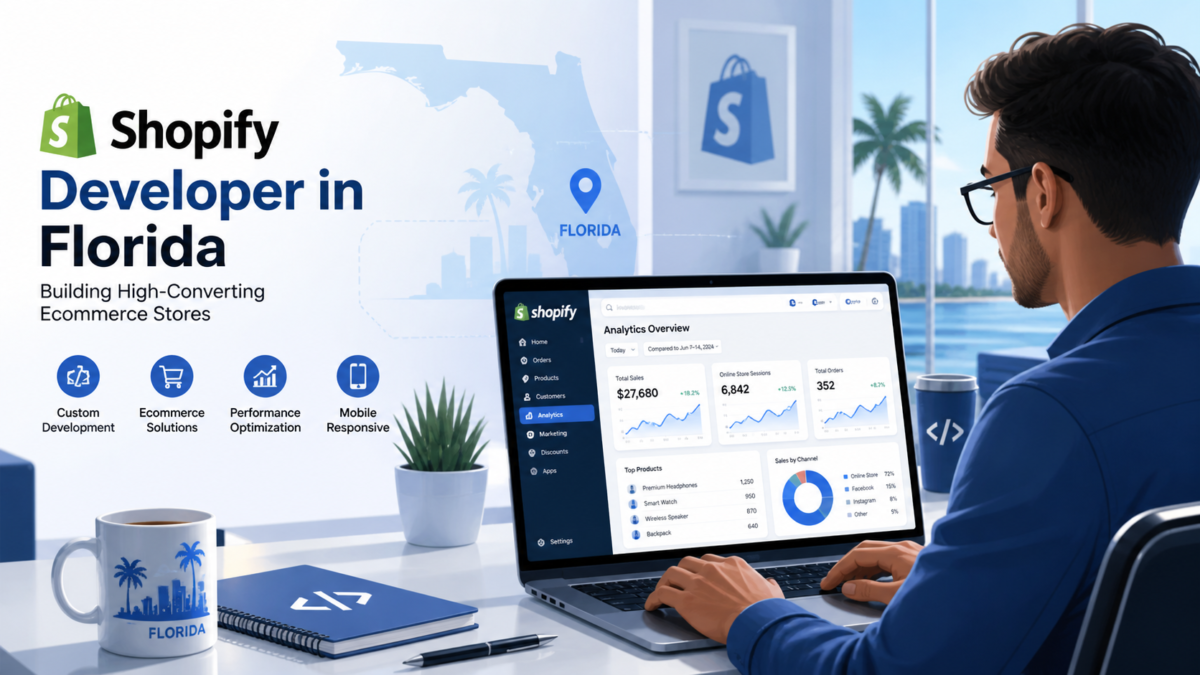
Shopify Developers in Florida – What to Look for Before Hiring

If you’ve been anywhere near the eCommerce space recently, you already know that Shopify is dominating the online retail landscape. And this isn’t just hype—it’s backed by real numbers. As of 2026, Shopify powers millions of online stores globally, with over 2.9 million active stores and a strong presence in the United States alone. (Shine Dezign Infonet)

What does this mean for you? Simply put, Shopify isn’t just another platform—it’s an entire ecosystem. Businesses of all sizes, from startups to enterprise brands, are using Shopify because it offers scalability, flexibility, and ease of use. The platform has also evolved beyond just store creation. It now supports AI-driven features, multichannel selling, and advanced analytics, making it a powerful engine for growth.

Here’s the interesting part: Shopify’s ecosystem includes over 50,000 developers and partners worldwide and more than 16,000 apps in its marketplace. (Shine Dezign Infonet) That means when you hire a Shopify developer in Florida, you’re not just hiring a coder—you’re tapping into a massive global infrastructure of tools and expertise.

Why Businesses Prefer Shopify

Let’s make this real. Imagine building a store from scratch versus using a platform that already handles payments, inventory, and marketing. Shopify removes the heavy lifting, allowing businesses to focus on selling rather than coding.

Businesses prefer Shopify because it offers:

  • Easy setup and management
  • Built-in payment gateways
  • Strong mobile optimization
  • Scalable architecture

But here’s the catch—the platform is only as good as the developer behind it. A poorly built Shopify store can hurt conversions, slow down performance, and limit growth. That’s why hiring the right developer, especially in a competitive market like Florida, is critical.

Why Choose Shopify Developers in Florida

Local Market Expertise

Hiring a Shopify developer in Florida isn’t just about convenience—it’s about understanding the local business landscape. Florida has a thriving eCommerce ecosystem, especially in industries like tourism, fashion, and health products.

Local developers understand:

  • Regional customer behavior
  • Payment preferences
  • Compliance requirements

This knowledge helps create stores that are not only functional but also optimized for local audiences.

Access to Skilled Agencies

Florida is home to over 200+ Shopify development agencies, offering a wide range of services from basic store setup to advanced custom development. (DesignRush)

This gives you options—but also creates confusion. Not all agencies are equal. Some specialize in design, while others focus on backend development or Shopify Plus solutions. The key is knowing what your business actually needs before hiring.

Types of Shopify Developers You Can Hire

Freelancers vs Agencies

Choosing between freelancers and agencies is like choosing between a solo player and a full team.

Freelancers are usually:

  • More affordable
  • Flexible
  • Suitable for small projects

Agencies, on the other hand, offer:

  • Full-service solutions
  • Dedicated teams
  • Structured workflows

The decision depends on your project size. If you’re launching a simple store, a freelancer might be enough. But for scaling businesses, agencies provide better long-term value.

Dedicated Shopify Teams

Dedicated teams are the middle ground. They combine the flexibility of freelancers with the expertise of agencies. These teams work exclusively on your project, ensuring faster delivery and better communication.

Key Skills to Look for in a Shopify Developer

Technical Expertise

Let’s be honest—anyone can claim to be a Shopify developer. But real expertise shows in their skills.

Look for developers who understand:

  • Liquid (Shopify’s coding language)
  • HTML, CSS, JavaScript
  • API integrations

These skills ensure your store isn’t just functional but also scalable.

UX/UI and Conversion Optimization

A beautiful store is useless if it doesn’t convert. Great developers focus on user experience and conversion rates.

They optimize:

  • Page load speed
  • Navigation flow
  • Checkout process

Even small improvements can significantly impact revenue.

Understanding Shopify Development Costs in 2026

Basic Store Development Costs

Cost is often the first question—and for good reason.

In 2026, a basic Shopify store typically costs:

This includes design, setup, and basic integrations.

Advanced Shopify Plus Pricing

For larger businesses, costs can go much higher:

Project TypeEstimated Cost
Custom Shopify Store$25,000 – $100,000+
Enterprise / Shopify Plus$150,000+

(Digisoft Solutions)

The takeaway? Don’t just focus on price. Focus on value.

Experience vs Cost – What Matters More

Here’s a common mistake: choosing the cheapest developer.

Lower cost often means:

  • Limited experience
  • More bugs
  • Higher long-term costs

Experienced developers may charge more upfront, but they save money in the long run by building efficient, scalable stores.

Portfolio and Case Studies Evaluation

Before hiring, always review portfolios.

Ask yourself:

  • Do their designs match your vision?
  • Have they worked in your industry?
  • Can they show measurable results?

A strong portfolio speaks louder than promises.

Importance of SEO Knowledge in Shopify Development

SEO isn’t just about content—it starts with development.

A good Shopify developer ensures:

  • Clean code structure
  • Fast loading speed
  • Mobile optimization

These factors directly impact search rankings and traffic.

Communication and Project Management Skills

Even the best developer is useless without communication.

Look for:

  • Clear timelines
  • Regular updates
  • Transparency

Good communication prevents delays and misunderstandings.

Customization vs Template-Based Development

Templates are quick and cheap—but limited.

Custom development offers:

  • Unique design
  • Better performance
  • Scalability

Choose based on your business goals.

Shopify App Development and Integration Capabilities

Modern stores rely heavily on apps.

Shopify app development costs range from:

  • $3,000 to $100,000+ depending on complexity (Headtonet)

Your developer should handle integrations smoothly.

Security and Compliance Considerations

Security is non-negotiable.

Ensure your developer implements:

  • Secure payment gateways
  • Data protection
  • Compliance standards

Post-Launch Support and Maintenance

Your store isn’t finished after launch.

Ongoing costs can range from:

Choose developers who offer long-term support.

Red Flags to Avoid When Hiring Shopify Developers

Watch out for:

  • Unrealistically low prices
  • Lack of portfolio
  • Poor communication

These are warning signs of future problems.

Questions You Should Ask Before Hiring

Ask questions like:

  • What’s your experience with Shopify Plus?
  • Can you handle custom integrations?
  • What’s your support policy?

Comparing Florida Shopify Agencies vs Offshore Teams

Offshore teams may be cheaper, but:

  • Communication gaps
  • Time zone issues
  • Quality concerns

Local Florida developers offer better collaboration.

ROI and Long-Term Business Impact

A well-built Shopify store:

  • Improves conversion rates
  • Boosts SEO
  • Enhances customer experience

Think of it as an investment, not a cost.

Hiring Process Step-by-Step Guide

  1. Define your requirements
  2. Shortlist developers
  3. Review portfolios
  4. Conduct interviews
  5. Start with a small project

Final Checklist Before Hiring

  • Experience verified
  • Portfolio reviewed
  • Budget aligned
  • Communication clear

Conclusion

Hiring the right Shopify developer in Florida can make or break your eCommerce success. With millions of stores competing globally, your website needs to stand out—not just visually, but technically and strategically. Focus on experience, communication, and long-term value, and you’ll set your business up for sustainable growth.

FAQs

1. How much does it cost to hire a Shopify developer in Florida?

Costs vary widely, but basic stores start around $10,000 and can exceed $100,000 for advanced projects.

2. Should I hire a freelancer or an agency?

Freelancers are cheaper for small projects, while agencies are better for complex, scalable stores.

3. What skills should a Shopify developer have?

They should know Liquid, HTML, CSS, JavaScript, and have experience with integrations and SEO.

4. How long does Shopify development take?

A simple store takes 2–4 weeks, while complex projects can take several months.

5. Is Shopify good for long-term business growth?

Yes, Shopify is highly scalable and supports businesses from startups to enterprise levels.

Website Migration Checklist for US Businesses (Step-by-Step Guide)

Website Migration Checklist for US Businesses (Step-by-Step Guide)

Website migration sounds technical, but at its core, it’s simply moving your website from one environment to another. This could mean changing your domain name, switching hosting providers, redesigning your site, or moving to a new CMS like WordPress or Shopify. For US businesses, this often happens when scaling operations, improving user experience, or rebranding. But here’s the catch—migration isn’t just a technical upgrade; it’s a high-risk move that can either boost your growth or quietly damage your online presence.

Search engines like Google rely on consistency. When you suddenly change URLs, content structure, or technical settings, search engines need time to understand those changes. According to recent SEO migration data, businesses can lose 20–40% of their organic traffic during poorly executed migrations (Ten Speed). That’s not just a number—it directly translates to lost leads, customers, and revenue. Imagine opening a brand-new store but forgetting to tell your customers where you moved. That’s exactly what happens without a proper migration strategy.

Types of Website Migration

There are several types of migrations, and each comes with its own challenges. Domain migration is one of the most complex because it involves transferring your entire SEO authority to a new address. Platform migration, like moving from WordPress to Shopify, changes how your content is structured and served. Structural migration involves reorganizing URLs or site architecture, while protocol migration includes switching from HTTP to HTTPS. Each type impacts how search engines crawl and index your site, making careful planning essential (urllo).

Why US Businesses Migrate Websites

US businesses often migrate websites for growth. Maybe your current platform can’t handle increased traffic, or your design feels outdated compared to competitors. Sometimes, it’s about improving speed, security, or mobile responsiveness. Other times, it’s a complete rebranding effort. Whatever the reason, migration is an opportunity—but only if executed correctly. Done right, it can improve SEO performance, user experience, and conversion rates. Done wrong, it can undo years of hard work.

Risks of Website Migration

Let’s be honest—website migration is risky. It’s like renovating your house while still living in it. If you knock down the wrong wall, everything can collapse. The same applies to your website. Without a structured checklist, you risk losing visibility, traffic, and even your brand credibility.

SEO Ranking Loss

Search engines build trust over time. When your URLs change, that trust gets disrupted. If redirects aren’t implemented correctly, search engines may treat your new pages as completely different entities. This leads to ranking drops. In fact, poor migrations have caused businesses to lose up to 44% of organic traffic in real-world cases (Marcel Digital). That’s a massive hit, especially for businesses relying on SEO for leads.

Traffic and Revenue Impact

Traffic loss isn’t just about numbers—it affects revenue directly. If your high-converting pages disappear from search results due to broken links or indexing issues, your sales pipeline dries up. Common issues like missing metadata, crawl errors, and duplicate content can all contribute to this decline (Ten Speed). Think of it like closing your shop during peak hours without informing customers—you lose business instantly.

Pre-Migration Planning Phase

Before you touch a single line of code, planning is everything. This phase determines whether your migration will succeed or fail. Smart businesses treat migration as a strategic project, not just a technical task.

Define Goals and KPIs

Start by asking yourself: why are you migrating? Is it for better performance, improved design, or scalability? Define clear goals and measurable KPIs like traffic retention, ranking stability, and conversion rates. Without clear objectives, you won’t know whether your migration was successful.

Conduct SEO Audit

An SEO audit is your baseline. Analyze your current rankings, traffic sources, backlinks, and top-performing pages. This helps you understand what’s working so you don’t accidentally break it. Experts recommend auditing technical factors like page speed, mobile usability, and indexing status before migration (Eco York).

Backup Your Website

This step is often overlooked, but it’s critical. Always create a full backup of your website before migration. If something goes wrong, you’ll have a safety net. Think of it as insurance—you hope you won’t need it, but you’ll be glad it’s there.

Technical Preparation Checklist

Now comes the technical groundwork. This is where most migrations succeed or fail. Precision matters here.

URL Mapping Strategy

Create a detailed map of old URLs to new URLs. Every page should have a corresponding destination. This ensures users and search engines can find your content after migration. Without proper mapping, you risk losing valuable SEO signals.

Set Up Redirects (301)

Redirects are the backbone of SEO migration. They tell search engines that your content has permanently moved. Incorrect or missing redirects can cause major ranking losses. Experts emphasize that every mapped URL should redirect cleanly without chains or loops (Search Engine Land).

Crawl Old Website

Before migration, crawl your existing website using tools like Screaming Frog. This helps identify broken links, duplicate content, and other issues. It also gives you a complete snapshot of your site structure.

Content and SEO Preservation

Here’s where things get tricky. Many businesses make the mistake of redesigning and rewriting content during migration. That’s like changing your house layout and furniture at the same time—it becomes impossible to track what caused problems.

Preserve High-Performing Pages

Your top-ranking pages are your biggest assets. Don’t change them drastically during migration. Keep URLs, content, and metadata consistent to minimize risk. Experts warn that changing everything at once creates “double risk” for SEO (Omega Digital).

Maintain Metadata and Structure

Meta titles, descriptions, headers, and internal linking structure should remain intact. These elements play a crucial role in search visibility. Even small changes can impact rankings, so consistency is key.

Migration Execution (Launch Day)

Launch day is where everything comes together. It’s also where mistakes become visible instantly.

Deploy New Website

Once your new site is live, ensure everything is functioning properly. Remove any noindex tags used during testing and make sure search engines can crawl your site.

Test Redirects and Links

Run a full crawl of your live site. Check for broken links, redirect issues, and missing pages. Even small errors can impact user experience and SEO. Testing should be thorough, not just limited to top pages (Search Engine Land).

Post-Migration Checklist

Migration doesn’t end after launch. In fact, this is where the real work begins.

Monitor Traffic and Rankings

Keep a close eye on your analytics. Compare pre- and post-migration performance. Expect some fluctuations—rankings typically stabilize within 4–8 weeks after migration (Hashmeta).

Fix Errors and Indexing Issues

Use tools like Google Search Console to identify crawl errors and indexing problems. Fix them quickly to minimize impact. Continuous monitoring is essential for long-term success.

Common Mistakes to Avoid

Even experienced teams make mistakes during migration. Knowing what to avoid can save you time, money, and stress.

Ignoring Redirects

Missing or incorrect redirects are the number one cause of SEO failure during migration. Always double-check your redirect mapping.

Changing Too Much at Once

Avoid redesigning, rewriting content, and changing URLs simultaneously. This makes it difficult to identify what caused any issues.

Tools for Website Migration

Here’s a quick comparison of essential tools:

ToolPurposeBenefit
Google Search ConsoleIndexing & monitoringTrack errors & performance
Screaming FrogSite crawlingIdentify technical issues
Ahrefs / SEMrushSEO trackingMonitor rankings & backlinks
Google AnalyticsTraffic analysisMeasure performance

Conclusion

Website migration isn’t just a technical process—it’s a business-critical operation. For US businesses, where online competition is fierce, even a small mistake can lead to significant losses in traffic and revenue. The key to success lies in preparation, precision, and continuous monitoring. Treat migration as a strategic project, not a quick upgrade. When done correctly, it can unlock new growth opportunities, improve user experience, and strengthen your SEO foundation.

FAQs

1. How long does website migration take?

Most migrations take 3–6 months including planning, execution, and stabilization (Ten Speed).

2. Will I lose SEO rankings after migration?

Some fluctuation is normal, but proper planning minimizes long-term losses.

3. What is the most important step in migration?

Setting up accurate 301 redirects is the most critical step.

4. Can I redesign my website during migration?

Yes, but it’s risky. Avoid major content changes at the same time.

5. How do I know if migration was successful?

Monitor traffic, rankings, and conversions. Stable or improved metrics indicate success.

How Much Does Website Development

How Much Does Website Development Cost in Texas? (Real Pricing Breakdown)

If you’ve ever asked yourself, “How much does a website cost in Texas?” — you’re not alone. It’s one of the most common questions business owners ask before going online. And honestly? The answer isn’t simple. Website development pricing is like buying a car—you can get something basic that runs, or a luxury model packed with features. Both serve the same purpose, but the experience (and cost) is wildly different.

In Texas, website development costs vary depending on your business size, goals, and how advanced your website needs to be. A simple site for a local business might cost a few thousand dollars, while a fully customized enterprise platform can easily cross six figures. According to recent industry data, website development in the U.S. ranges from $1,000 to $150,000+ depending on complexity (Techreviewer).

Why Pricing Varies So Much

Think of a website as a digital building. The cost depends on how many rooms you need, how fancy the design is, and what features you want. A basic informational site is like a small office, while an e-commerce platform is more like a shopping mall. Add features like payment systems, customer dashboards, or AI chatbots—and suddenly, your budget increases significantly.

Texas Market vs National Pricing

Texas sits in a unique position. Cities like Dallas and Houston have highly competitive digital markets, which means pricing is often slightly higher than smaller towns—but still more affordable than places like California or New York. This balance makes Texas an attractive location for both startups and growing businesses looking for quality web development without extreme costs.

Average Website Development Cost in Texas (2026 Data)

Let’s get straight to the numbers. Based on real-time data from Texas agencies and U.S. pricing trends, here’s what you can expect to pay.

Basic Website Pricing

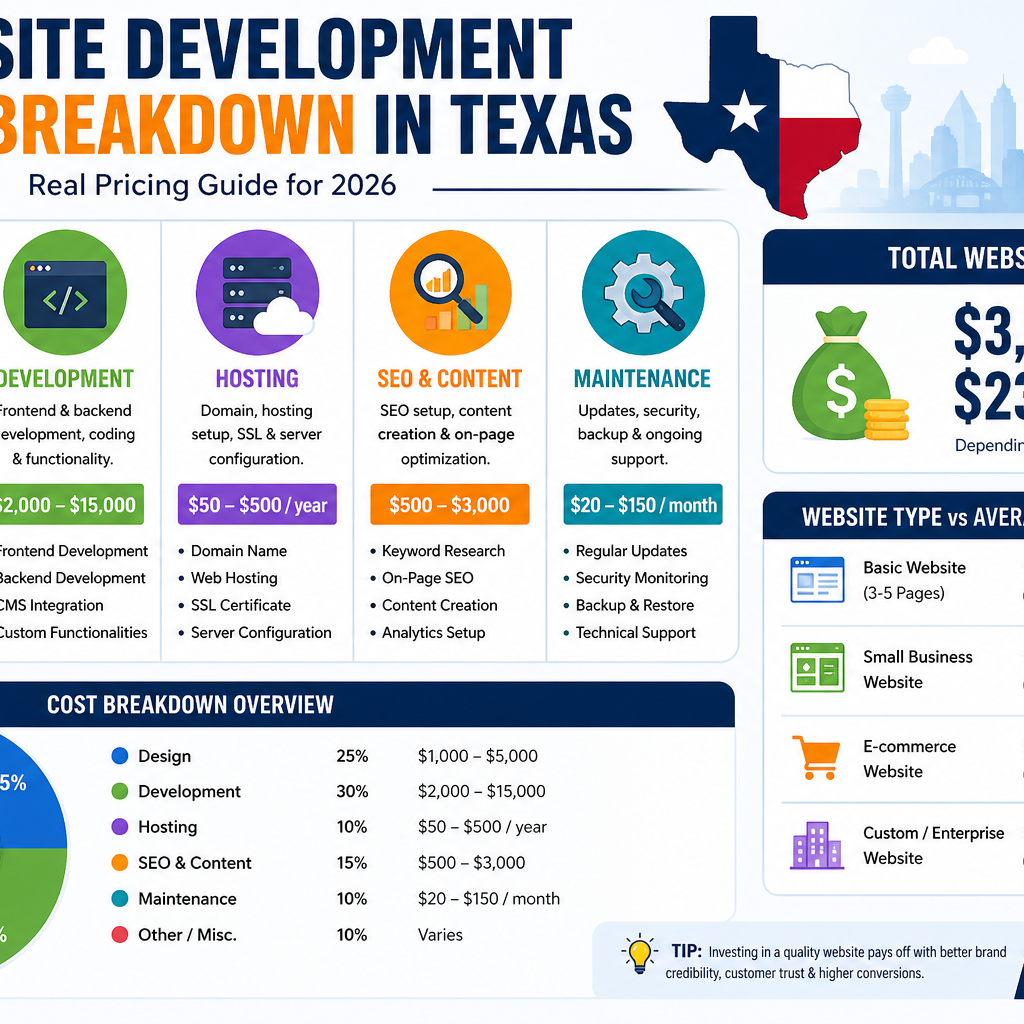
A simple website with 3–5 pages (Home, About, Contact, Services) typically costs between $1,200 and $3,000 in Texas (Prime Web Design). These are usually template-based websites with limited customization but enough to establish an online presence.

Small Business Website Pricing

For a professional small business website with custom design, SEO setup, and responsive design, expect to pay between $3,000 and $8,000 (CodeVix). This is the sweet spot for most businesses—it balances cost and performance.

Custom & Enterprise Website Pricing

Now, if you’re aiming big—custom dashboards, integrations, or enterprise-level systems—costs jump significantly. In Texas:

This range reflects complexity, scalability, and advanced functionality.

Website Cost Breakdown by Type

Understanding cost becomes easier when you break it down by website type. Each type serves a different purpose—and comes with its own pricing structure.

Static Websites

Static websites are the simplest form. They don’t change dynamically and are ideal for portfolios or small businesses. Costs typically range from $500 to $2,000 (PSDtoHTMLNinja). These are fast, affordable, but limited in functionality.

Dynamic Websites

Dynamic websites include CMS platforms like WordPress. They allow you to update content easily and scale over time. Expect pricing between $1,000 and $5,000 for standard builds (PSDtoHTMLNinja).

E-commerce Websites

E-commerce sites are more complex because they involve product listings, payment gateways, and security features. Costs vary widely:

Enterprise Platforms

These are full-scale systems with integrations like CRM, ERP, or custom APIs. Costs can exceed $100,000 depending on complexity (developers.dev). These are usually built for large corporations or tech-driven companies.

Key Factors That Affect Website Cost

Design Complexity

A simple template design costs less. But if you want a unique, branded experience with animations and custom UI/UX—it’ll cost more. Design alone can take up 30–40% of your total budget (CodeVix).

Features & Functionality

Every feature adds cost. Booking systems, payment gateways, dashboards, or AI chatbots all increase development time—and budget.

Content Creation

Many people forget this part. Professional content (copywriting, images, videos) can cost $500 to $5,000+ (Galaxywing IT Solutions). And trust me—good content can make or break your website.

SEO & Marketing Integration

A website without SEO is like a shop in the desert—no one finds it. SEO setup, analytics, and marketing tools add extra cost but are essential for growth.

Cost Breakdown (Detailed Table)

ComponentEstimated Cost (Texas)
Domain Name$10 – $20/year
Hosting$50 – $500/year
Design$2,000 – $10,000
Development$3,000 – $20,000
Content Creation$500 – $5,000
Maintenance$20 – $150/month
SEO Setup$500 – $3,000

Texas City-Wise Pricing Comparison

Dallas Pricing

Dallas is one of the most competitive markets. Custom websites cost around $6,500 to $15,000, while basic templates start at $1,200 (Prime Web Design).

Houston Pricing

Houston offers a wider range—from $5,000 basic sites to $150,000 enterprise platforms (developers.dev). This reflects the city’s diverse industries.

Smaller Cities Pricing

In smaller Texas cities, pricing is slightly lower due to less competition. You can often save 10–20% compared to major metro areas.

Freelancer vs Agency vs DIY Cost

Freelancer Pricing

Freelancers are budget-friendly, charging $1,000 to $10,000 depending on experience (Elementor). Ideal for small projects.

Agency Pricing

Agencies provide full-service solutions but cost more—typically $10,000 to $50,000+ (Elementor). Best for serious businesses.

DIY Website Builders

DIY platforms cost as little as $60 to $300 per year (Elementor). But you trade customization and scalability for affordability.

Hidden Costs You Should Know

Maintenance & Hosting

Websites aren’t “set and forget.” Monthly costs range from $15 to $150 for hosting and maintenance (Forbes).

Updates & Security

Security updates, backups, and bug fixes can add ongoing costs. Ignoring these can lead to bigger expenses later.

How to Save Money on Website Development

If you’re working with a tight budget, don’t worry—you’ve got options. Start small. Focus on essential features first, then scale later. Use a CMS like WordPress instead of going fully custom. Provide your own content if possible—it can save thousands. And most importantly, choose the right developer. Cheap doesn’t always mean better, and expensive doesn’t always mean quality.

Conclusion

Website development costs in Texas aren’t fixed—they’re flexible, scalable, and highly dependent on your needs. A basic website might cost a few thousand dollars, while a complex platform could exceed $100,000. The key is understanding what you actually need versus what looks appealing. Think of your website as an investment, not an expense. When done right, it becomes your most powerful marketing tool—working for you 24/7, generating leads, building trust, and driving revenue.

FAQs

1. What is the average cost of a website in Texas?

Most small business websites cost between $3,000 and $8,000, while custom sites range from $6,500 to $15,000.

2. Can I build a website for free?

Yes, using DIY builders—but expect limitations in design, branding, and scalability.

3. How long does it take to build a website?

Typically 2 to 12 weeks, depending on complexity and features.

4. Is it better to hire a freelancer or agency?

Freelancers are cheaper, agencies offer more reliability and full-service solutions.

5. What is the monthly cost of maintaining a website?

Around $20 to $150 per month, depending on hosting, updates, and support.

ChatGPT Image Apr 27, 2026, 07_11_00 AM

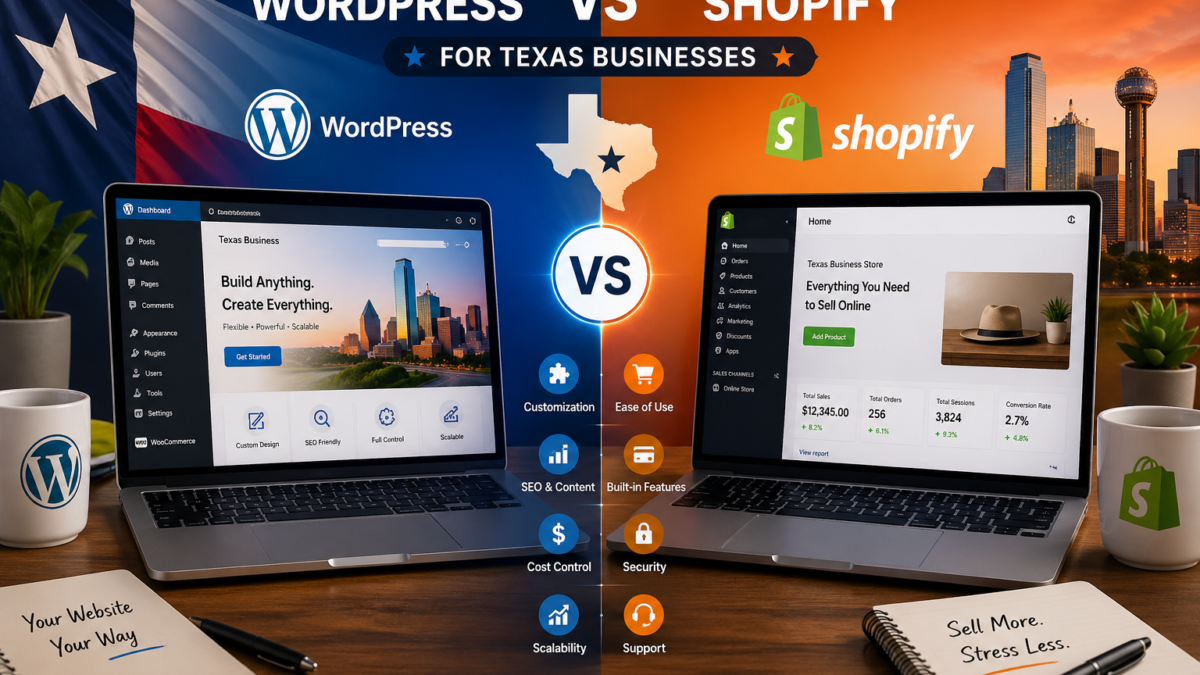
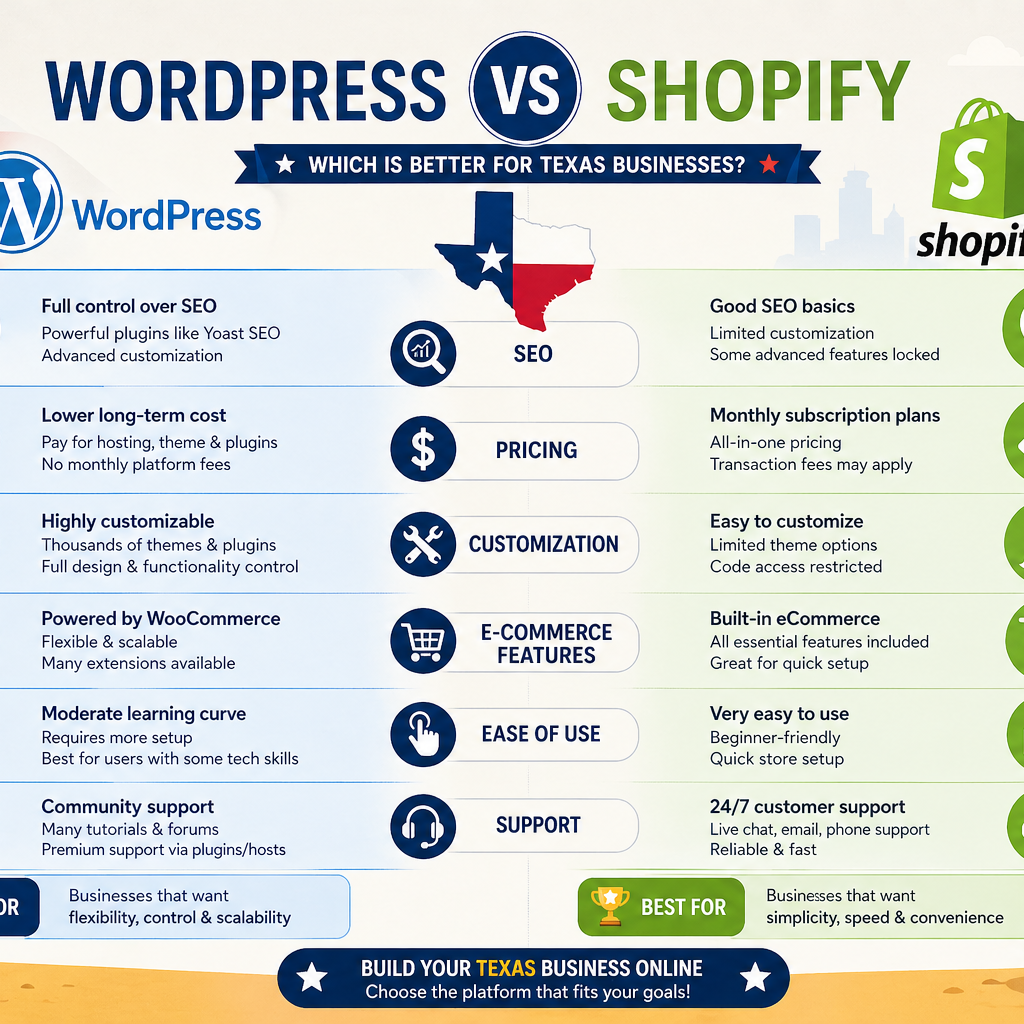
WordPress vs Shopify for Texas Businesses – Which Is Better?

Texas isn’t just about oil rigs and ranches anymore—it’s rapidly becoming a powerhouse for digital commerce. With cities like Austin, Dallas, and Houston thriving as tech hubs, online business is booming. Recent data suggests that e-commerce sales in Texas have grown significantly over the past few years, driven by small businesses going digital and consumers embracing online shopping more than ever. If you’re a Texas entrepreneur, choosing the right platform is no longer optional—it’s critical.

Think about it: whether you’re selling handmade crafts in San Antonio or running a large-scale retail operation in Houston, your website is your storefront. And just like you wouldn’t pick a random location for a physical store, you shouldn’t randomly choose your e-commerce platform either. That’s where the debate between WordPress vs Shopify comes in. Both platforms dominate the market, but they cater to different needs, styles, and levels of expertise.

Unique Needs of Texas-Based Businesses

Texas businesses often have unique requirements—like handling state-specific taxes, catering to diverse audiences, and scaling quickly in competitive markets. You might need bilingual support, local SEO optimization, or integration with local shipping providers. Some businesses prefer complete control over their website, while others want a hassle-free, ready-to-go solution.

So the big question becomes: do you want flexibility and control, or simplicity and speed? That’s essentially the heart of the WordPress vs Shopify debate. Let’s break it down step by step so you can make a smart decision that actually fits your business—not just follow the trend.

What Is WordPress?

Key Features of WordPress

WordPress is like a blank canvas—you can build almost anything with it. Originally designed as a blogging platform, it has evolved into a full-fledged content management system (CMS). With plugins like WooCommerce, WordPress transforms into a powerful e-commerce platform.

Here’s what makes WordPress stand out:

  • Full customization with thousands of themes and plugins
  • Open-source platform (you control everything)
  • Strong SEO capabilities
  • Scalable for any business size
  • Integration with almost any third-party tool

It’s essentially the “build your own house” option. You decide how it looks, functions, and grows. That level of freedom is incredibly appealing—especially for businesses that want to stand out.

Pros and Cons of WordPress

WordPress shines when it comes to flexibility, but it does come with responsibilities. You’ll need hosting, security, updates, and maintenance. It’s not a plug-and-play system—you have to manage it.

Pros:

  • Unlimited customization
  • Strong blogging and SEO tools
  • Lower long-term costs
  • Full ownership of data

Cons:

  • Requires technical knowledge
  • Ongoing maintenance
  • Security depends on user setup

If you’re someone who enjoys control and doesn’t mind getting your hands a little dirty, WordPress can be incredibly powerful.

What Is Shopify?

Key Features of Shopify

Shopify is the opposite of WordPress in many ways. It’s a fully hosted, all-in-one e-commerce platform designed specifically for selling products online. You don’t need to worry about hosting, security, or updates—Shopify handles all of that for you.

Key features include:

  • Easy store setup
  • Built-in payment processing
  • Secure hosting
  • Mobile-friendly designs
  • 24/7 customer support

It’s like renting a fully furnished store—you just walk in and start selling.

Pros and Cons of Shopify

Shopify is built for convenience, but that convenience comes at a cost—both financially and in terms of flexibility.

Pros:

  • Extremely beginner-friendly
  • Quick setup
  • Reliable security and hosting
  • Excellent customer support

Cons:

  • Monthly fees
  • Limited customization compared to WordPress
  • Transaction fees (unless using Shopify Payments)

For Texas business owners who want to launch fast and focus on sales rather than tech, Shopify is a strong contender.

Ease of Use Comparison

Beginner-Friendly Platforms

If you’ve never built a website before, Shopify will feel like a breath of fresh air. Everything is guided, intuitive, and designed for non-technical users. You can literally set up a store in a few hours.

WordPress, on the other hand, feels more like assembling furniture without instructions. It’s not impossible—but it takes time, patience, and maybe a few YouTube tutorials.

Learning Curve Differences

Shopify’s learning curve is shallow—you’ll get comfortable quickly. WordPress has a steeper curve, but once you master it, the possibilities are endless.

So ask yourself: do you want speed or control?

Pricing and Cost Analysis

WordPress Costs Breakdown

WordPress itself is free, but you’ll pay for:

  • Hosting ($5–$30/month)
  • Premium themes ($50–$200 one-time)
  • Plugins (optional but often necessary)

Overall, WordPress can be cheaper in the long run—but only if you manage it efficiently.

Shopify Pricing Plans

PlanMonthly CostFeatures
Basic$39Basic store features
Shopify$105Advanced reporting
Advanced$399Full scalability

Shopify is predictable but can get expensive as you scale.

Design and Customization

Flexibility of WordPress Themes

WordPress gives you unlimited design freedom. You can tweak every pixel, add custom code, and create a completely unique brand identity.

Shopify Design Simplicity

Shopify offers clean, professional themes—but customization is somewhat limited. You’re working within a framework.

SEO Capabilities

WordPress SEO Strengths

WordPress is widely considered the king of SEO. Plugins like Yoast SEO allow deep optimization—meta tags, schema, content structure—you name it.

Shopify SEO Limitations

Shopify handles basic SEO well, but it lacks the depth and control of WordPress. For competitive Texas markets, that could be a disadvantage.

E-commerce Features

Plugins vs Built-in Tools

WordPress relies on plugins like WooCommerce, giving flexibility but requiring setup. Shopify includes everything out of the box.

Payment Gateways and Taxes in Texas

Both platforms support Texas tax rules and multiple payment gateways. Shopify makes it easier, while WordPress gives more control.

Security and Maintenance

Shopify handles everything—security, updates, backups. WordPress requires manual management or paid services. If security worries you, Shopify wins here.

Conclusion

Choosing between WordPress vs Shopify for Texas businesses really comes down to your priorities. If you want total control, better SEO, and long-term flexibility, WordPress is your best bet. But if you want simplicity, speed, and a stress-free setup, Shopify is hard to beat.

Think of WordPress as building your dream ranch from scratch, while Shopify is moving into a ready-made luxury home. Both can be amazing—it just depends on how you want to live.

FAQs

1. Is WordPress cheaper than Shopify?

Yes, WordPress can be cheaper long-term, but it depends on hosting and plugins.

2. Which is better for SEO in Texas markets?

WordPress is generally better due to advanced SEO tools.

3. Can I switch from Shopify to WordPress later?

Yes, but migration can be complex and requires planning.

4. Which platform is better for beginners?

Shopify is easier for beginners with no technical skills.

5. Do both platforms support Texas sales tax?

Yes, both support tax calculations specific to Texas.

Shopify Development Company in Texas – Complete 2026 Guide

If you’re thinking about launching an online store in 2026, chances are you’ve already heard about Shopify—and for good reason. Shopify has become one of the most dominant ecommerce platforms globally, powering millions of businesses from small startups to enterprise-level brands. What makes it so powerful? It’s simple, scalable, and packed with features that allow anyone—from a beginner to a seasoned entrepreneur—to build and manage an online store without deep technical knowledge.

In 2026, ecommerce is no longer just an option; it’s a necessity. With global online retail sales expected to cross trillions of dollars, businesses need a platform that can handle growth, traffic, and customer expectations. Shopify does exactly that. It offers seamless integrations, advanced analytics, AI-powered tools, and a user-friendly dashboard. But here’s the catch—while Shopify is easy to start with, building a high-performing store that actually converts visitors into customers requires expertise. That’s where a Shopify development company in Texas comes into play.

Key Features of Shopify for Businesses

Shopify isn’t just a website builder—it’s a complete ecommerce ecosystem. From payment gateways to inventory management, everything is built into one platform. One of its strongest features is its flexibility. Whether you want a simple online shop or a complex marketplace, Shopify can handle it with the right development approach.

Another standout feature is its app ecosystem. With thousands of apps available, businesses can extend functionality easily. Want to add email marketing? There’s an app. Need advanced analytics? There’s an app for that too. Shopify also prioritizes mobile responsiveness, which is crucial since most users now shop via smartphones. Combine that with fast loading speeds, built-in SEO tools, and secure hosting, and you’ve got a platform that ticks all the boxes for modern ecommerce.

Why Choose a Shopify Development Company in Texas

Growing Tech Ecosystem in Texas

Texas has rapidly evolved into one of the biggest tech hubs in the United States. Cities like Austin, Dallas, and Houston are buzzing with innovation, startups, and tech talent. This growth has naturally led to a rise in high-quality Shopify development companies offering cutting-edge solutions to businesses worldwide.

What makes Texas unique is its blend of affordability and expertise. Compared to traditional tech hubs like Silicon Valley, Texas offers competitive pricing without compromising on quality. Developers here are highly skilled, experienced, and constantly adapting to the latest ecommerce trends. This means when you hire a Shopify development company in Texas, you’re not just getting developers—you’re getting strategic partners who understand the digital landscape.

Advantages of Hiring Local Experts

Working with a local Shopify development company has its own advantages. Communication becomes easier, time zone differences are minimized, and collaboration feels more natural. You can discuss your ideas, refine your vision, and get real-time feedback without delays.

Another big advantage is understanding the local market. If your target audience is in the U.S., especially Texas, local developers can help tailor your store to meet customer expectations. They understand buying behavior, design preferences, and regional trends. This gives your ecommerce store a competitive edge right from the start.

Services Offered by Shopify Development Companies

Custom Shopify Store Development

A cookie-cutter store rarely succeeds in today’s competitive market. Custom Shopify development ensures your store stands out, reflects your brand identity, and provides a unique user experience. Developers build everything from scratch—design, layout, features—based on your specific business needs.

This approach also improves performance. Custom-built stores are optimized for speed, SEO, and conversions. They eliminate unnecessary code and focus on delivering a seamless shopping experience. Think of it like building a house—you wouldn’t want a generic design when you can have something tailored perfectly to your needs.

Shopify App Development

Sometimes, standard features aren’t enough. That’s where custom Shopify apps come in. Development companies in Texas specialize in creating apps that add unique functionality to your store. Whether it’s advanced inventory management, custom checkout processes, or integration with third-party tools, apps can transform your store into a powerful ecommerce machine.

Theme Design and Customization

Your website’s design is the first thing customers notice. A professionally designed Shopify theme not only looks great but also enhances usability. Developers customize themes to match your brand, improve navigation, and create a visually appealing shopping experience.

Migration to Shopify

Switching from another platform like WooCommerce or Magento? Shopify development companies handle seamless migration without losing data. They ensure your products, customers, and SEO rankings are preserved during the transition.

How to Choose the Right Shopify Development Company

Experience and Portfolio

Experience matters—a lot. Before hiring any Shopify development company, take a close look at their portfolio. Have they worked on projects similar to yours? Do their designs look modern and user-friendly? A strong portfolio is a clear indicator of their capabilities.

Client Reviews and Ratings

What do previous clients say? Reviews and testimonials provide valuable insights into a company’s reliability and quality of work. Look for consistent positive feedback and long-term client relationships.

Pricing Models and Transparency

Pricing can vary widely depending on the scope of your project. A good development company will provide clear, transparent pricing with no hidden costs. Avoid companies that offer extremely low prices—it often leads to poor quality work.

Cost of Shopify Development in Texas

Factors Affecting Pricing

Several factors influence the cost of Shopify development, including design complexity, features, integrations, and customization level. A simple store might cost a few thousand dollars, while a fully customized ecommerce platform can go much higher.

Average Cost Breakdown

Service TypeEstimated Cost (2026)
Basic Store Setup$1,500 – $5,000
Custom Design$5,000 – $15,000
App Development$3,000 – $20,000
Full Ecommerce Solution$10,000 – $50,000+

Benefits of Hiring Shopify Experts

Faster Time to Market

Time is money in ecommerce. Shopify experts can launch your store quickly without compromising quality. They know the platform inside out, which reduces development time significantly.

Better SEO and Performance

A professionally developed Shopify store is optimized for search engines and speed. This improves your visibility on Google and enhances user experience, leading to higher conversions.

Shopify Trends in 2026

AI Integration in Ecommerce

AI is transforming ecommerce. From personalized product recommendations to automated customer support, Shopify is integrating AI tools that enhance user experience and boost sales.

Mobile-First Commerce

With the majority of users shopping on mobile devices, Shopify stores are now designed with a mobile-first approach. This ensures seamless navigation and faster loading times on smartphones.

Common Mistakes to Avoid

Choosing Based on Price Only

Going for the cheapest option can cost you more in the long run. Poor design, slow performance, and lack of support can hurt your business.

Ignoring Post-Launch Support

Launching your store is just the beginning. Ongoing maintenance, updates, and support are crucial for long-term success.

Conclusion

Choosing the right Shopify development company in Texas can be a game-changer for your ecommerce business. With the right team, you’re not just building a store—you’re creating a powerful online brand that attracts customers, drives sales, and scales effortlessly. Texas offers a unique blend of talent, affordability, and innovation, making it an ideal place to find top-notch Shopify experts. Whether you’re starting from scratch or upgrading an existing store, investing in professional development ensures you stay ahead in the competitive ecommerce landscape of 2026.

FAQs

1. How long does it take to build a Shopify store?

It typically takes 2 to 8 weeks depending on complexity, customization, and features required.

2. Is Shopify better than WooCommerce in 2026?

Shopify is easier to use and more scalable, while WooCommerce offers more flexibility. The choice depends on your needs.

3. Can I migrate my existing store to Shopify?

Yes, Shopify development companies handle smooth migration without data loss.

4. Do I need a developer for Shopify?

For basic stores, no. But for advanced features and better performance, hiring a developer is highly recommended.

5. What is the ROI of hiring a Shopify development company?

A professionally built store improves conversions, user experience, and SEO—leading to higher revenue over time.

.

WordPress- to Shopify Migration Guide for Texas

Why Businesses in Texas Are Moving from WordPress to Shopify

If you’re running an online store in Texas, chances are you’ve already felt the growing pains of scaling with WordPress. At first, it feels like freedom—unlimited plugins, endless customization—but over time, it can feel like juggling knives while riding a bicycle. One plugin breaks another, updates create chaos, and suddenly your “simple” store becomes a technical puzzle.

Many store owners complain about performance issues, especially during traffic spikes. Slow load times directly affect conversions—customers don’t wait, they bounce. According to recent migration insights, plugin dependency, security concerns, and high maintenance costs are among the biggest reasons businesses leave WooCommerce behind (Propero).

Another hidden issue is scalability. As your product catalog grows, your backend becomes heavier and slower. You might find yourself spending more time fixing bugs than actually growing your business. And let’s be honest—if you’re running a business in a competitive market like Texas, you don’t want to be stuck dealing with server issues when you should be focusing on sales and marketing.

Shopify Growth & Market Trends (2025–2026)

Now flip the script. Imagine a platform where hosting, security, updates, and performance are all handled for you. That’s exactly why Shopify is booming right now. In fact, 68.4% of retailers now prefer hosted platforms over self-hosted ones (Swell). That’s not just a trend—it’s a shift in how modern eCommerce works.

Shopify’s growth is equally impressive. The platform powers millions of stores globally and has seen over 20% growth in recent years, outpacing overall eCommerce expansion (Softpulse Infotech). Even more interesting? Around 1 in 6 internet users has purchased from a Shopify store (chargeflow.io). That’s massive reach.

For Texas-based businesses, especially in cities like Austin, Dallas, and Houston, this shift means one thing: if your competitors are moving to Shopify, staying on WordPress without a solid strategy could put you behind.

WordPress vs Shopify – Which Platform Wins in 2026?

Performance and Speed Comparison

Speed isn’t just a technical metric—it’s revenue. Think of your website like a physical store. If customers have to wait outside for 10 seconds before entering, most of them will leave. That’s exactly what happens with slow-loading WordPress stores.

Shopify, on the other hand, is optimized for speed right out of the box. It’s built specifically for eCommerce, which means faster checkout, better mobile performance, and smoother navigation. Considering that over 70% of Shopify traffic comes from mobile users (Softpulse Infotech), this optimization becomes critical.

In contrast, WordPress requires caching plugins, CDN setups, and performance tuning just to keep up. It’s like buying a car that needs constant upgrades just to run smoothly.

Cost and Maintenance Differences

Let’s talk money—because that’s what matters at the end of the day. WordPress may look cheaper initially, but the hidden costs add up quickly:

FeatureWordPress (WooCommerce)Shopify
HostingPaid separatelyIncluded
SecurityManualBuilt-in
MaintenanceHighMinimal
PluginsOften paidBuilt-in features
Ease of UseComplexBeginner-friendly

Over time, Shopify often becomes more cost-efficient because you spend less on developers, fixes, and maintenance. It’s like renting a fully serviced apartment versus owning a house that constantly needs repairs.

Pre-Migration Checklist

Backup and Audit Your Website

Before you even think about migrating, you need a solid backup. This is your safety net. Imagine moving houses—you wouldn’t leave your valuables behind, right? The same logic applies here.

Start by backing up your entire WordPress site, including files, databases, and media. Then conduct a full audit. Identify what’s working, what’s not, and what can be left behind. This is your chance to clean up unnecessary clutter.

Identify Data to Migrate

Not everything needs to move. Focus on critical data:

  • Products
  • Customers
  • Orders
  • Blog content
  • SEO data

This step is crucial because migrating unnecessary data can slow down your new Shopify store and create confusion.

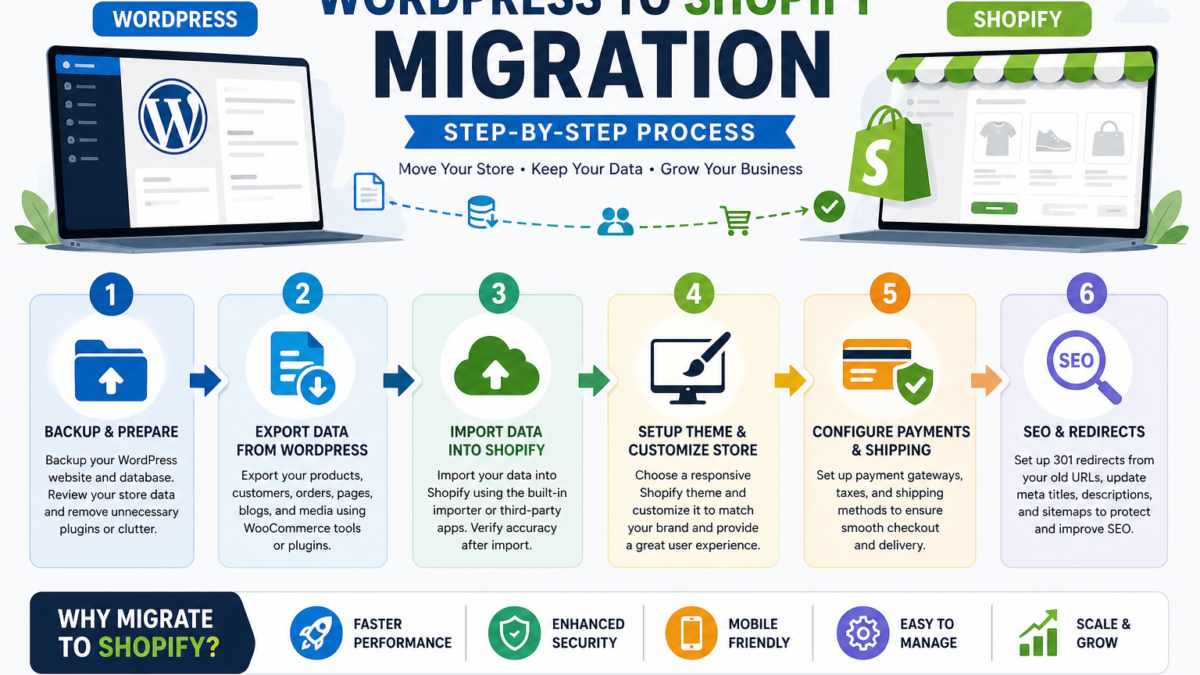
Step-by-Step WordPress to Shopify Migration

Step 1 – Create Shopify Account

Start by setting up your Shopify account. Choose a plan based on your business size. Shopify offers a trial, so you can explore features before committing.

Step 2 – Export Data from WordPress

Products and Categories

Export your product data using WooCommerce export tools. Ensure everything is properly formatted—titles, descriptions, prices, and images.

Customer Data

Customer data is gold. Export it carefully, including emails, order history, and addresses.

Step 3 – Import Data into Shopify

Use Shopify’s import tool or third-party apps to upload your data. Double-check everything after importing. Even small errors can create big issues later.

Step 4 – Choose and Customize Theme

Shopify offers over 170 themes, both free and paid (Softpulse Infotech). Choose one that matches your brand identity and customize it for your audience.

Step 5 – Set Up Payments and Shipping

Configure payment gateways, taxes, and shipping options. Shopify makes this easy with built-in integrations.

Step 6 – SEO Migration and URL Redirects

This step is critical. Set up 301 redirects from old URLs to new ones to maintain SEO rankings. Keep meta titles, descriptions, and keywords intact.

Migration Timeline & Cost in Texas

Cost Breakdown

Migration costs vary depending on complexity:

TypeCost Range
DIY Migration$0 – $200
Freelancer$300 – $1500
Agency (Texas)$1000 – $5000

Expected Timeline

  • Small store: 2–4 weeks
  • Medium store: 6–10 weeks
  • Large store: 12+ weeks (Propero)

Common Migration Mistakes to Avoid

Migration sounds simple, but mistakes can cost you traffic and revenue. One of the biggest errors is ignoring SEO. If you don’t set up redirects properly, your rankings can drop overnight.

Another common issue is poor data mapping. Imagine importing products with missing images or incorrect prices—it damages trust instantly. Also, skipping testing is like launching a rocket without checking the fuel.

Benefits After Migration

Once the migration is complete, the difference feels like night and day. Shopify offers:

  • Faster performance
  • Better user experience
  • Built-in security
  • Easier management

Businesses often report higher conversions and fewer technical headaches. And honestly, that peace of mind is priceless.

Conclusion

Migrating from WordPress to Shopify isn’t just a technical move—it’s a strategic upgrade. If your business in Texas is growing and your current platform feels like it’s holding you back, this shift can unlock new opportunities. With better speed, scalability, and ease of use, Shopify allows you to focus on what really matters: growing your brand and increasing sales.

FAQs

1. Will I lose SEO rankings after migration?

Not if done correctly. Proper redirects and SEO mapping will preserve rankings.

2. How long does migration take?

It depends on store size, but typically 2–12 weeks.

3. Is Shopify better than WordPress for eCommerce?

For most businesses, yes. Shopify is easier, faster, and more scalable.

4. Can I migrate my blog content too?

Yes, blog posts and pages can be transferred easily.

5. Do I need a developer for migration?

web-development-technologies

Best Web Development Technologies for Texas Businesses in 2026

If you’re running a business in Texas in 2026, staying updated with web development technologies is no longer optional—it’s survival. The digital landscape is evolving faster than ever, and customers expect lightning-fast, secure, and personalized experiences every time they visit your website. Whether you’re a startup in Austin or a retail chain in Dallas, your website acts as your digital storefront, and outdated technology can silently kill your conversions.

Think about it this way: would you trust a physical store with broken lights and slow service? Probably not. The same logic applies online. Modern web technologies help businesses create smooth, responsive, and engaging experiences that keep users hooked. Texas businesses, especially in competitive industries like tech, real estate, and e-commerce, must adopt the latest tools to remain relevant and outperform competitors.

Another major factor is mobile usage. With over 70% of users browsing through smartphones, technologies that support responsive and mobile-first design have become essential. Businesses that ignore this shift risk losing a huge chunk of potential customers. Staying updated means embracing innovation—and that’s exactly what thriving Texas businesses are doing in 2026.

web-development-technologies

Digital Growth in the Texas Economy

Texas has rapidly become a digital powerhouse, with cities like Austin often referred to as the “Silicon Hills.” The state has seen exponential growth in startups, SaaS companies, and online businesses. This boom has driven demand for advanced web technologies that can handle high traffic, scale, and integrate seamlessly.

The rise of e-commerce and online services that are web development technologies has also played a significant role. Businesses are no longer limited by geography; a small Texas-based company can now serve customers globally. But with this opportunity comes the need for robust, scalable, and secure web platforms. Technologies like cloud computing, AI-driven personalization, and headless CMS systems are becoming standard requirements rather than luxury additions.

In short, the Texas digital economy is thriving, but only those businesses that adopt modern web development technologies will truly capitalize on this growth.

Frontend Technologies Dominating 2026

React.js and Its Continued Relevance

React.js continues to dominate the frontend ecosystem in 2026, and for good reason. Its component-based architecture makes it incredibly flexible and efficient for building dynamic user interfaces. Texas businesses, especially those focused on SaaS and eCommerce platforms, are heavily relying on React to deliver fast, interactive experiences.

One of the biggest advantages of React is its vast ecosystem and community support. Developers can access countless libraries, tools, and resources, making development faster and more efficient. This translates into reduced development costs and a shorter time-to-market—something every business owner appreciates.

Another reason React remains relevant is its performance. With features like virtual DOM and server-side rendering (when combined with frameworks like Next.js), websites load faster and perform better. In a world where every second counts, this can significantly impact user retention and conversion rates.

Vue.js for Lightweight Applications

Vue.js has carved out its own space by offering simplicity without compromising power. For Texas businesses that need lightweight, fast-loading applications, Vue is often the go-to choice. It’s particularly popular among startups and small businesses that want a quick yet efficient solution.

What makes Vue stand out is its gentle learning curve. Developers can quickly pick it up and start building applications without extensive training. This reduces development time and costs, making it an attractive option for businesses with limited budgets.

Despite being lightweight, Vue doesn’t lack features. It offers reactive data binding, component-based architecture, and seamless integration with existing projects. This makes it ideal for businesses looking to upgrade their websites without completely rebuilding them.

Next.js for Performance Optimization

Next.js has become a game-changer for performance-focused web development technologies. Built on top of React, it introduces features such as server-side rendering and static site generation, which significantly improve load times and SEO performance.

For Texas businesses aiming to rank higher on search engines, Next.js provides a competitive edge. Faster load times not only enhance user experience but also improve search engine rankings. This is especially crucial for local businesses competing for visibility in crowded markets.

Another advantage is scalability. Whether you’re running a small blog or a large eCommerce platform, Next.js can handle it efficiently. Its flexibility and performance make it a top choice for businesses that prioritize speed and SEO.

Backend Technologies Powering Modern Apps

Node.js for Scalability

Node.js continues to be a favorite backend technology for scalable applications. Its non-blocking, event-driven architecture allows it to handle multiple requests simultaneously, making it ideal for high-traffic websites.

Texas businesses, particularly in industries like fintech and e-commerce, benefit greatly from Node.js. It ensures smooth performance even during peak traffic periods, such as sales events or product launches.

Another advantage is its compatibility with JavaScript. Developers can use the same language for both frontend and backend, simplifying the development process and reducing costs.

Django for Secure Applications

Security is a top priority in 2026, and Django excels in this area. Built with Python, Django offers robust security features that protect against common vulnerabilities like SQL injection and cross-site scripting.

For businesses handling sensitive data—such as healthcare or financial services—Django is an excellent choice. Its built-in security measures and scalability make it a reliable backend framework.

Additionally, Django’s rapid development capabilities allow businesses to launch applications quickly without compromising quality. This balance of speed and security makes it highly appealing.

Laravel for Rapid Development

Laravel remains a popular choice for PHP-based development. It offers elegant syntax, built-in tools, and a strong ecosystem that simplifies complex tasks.

Texas businesses that need quick deployment often choose Laravel. Its features, such as authentication, routing, and database management, are prebuilt, saving time and effort.

Laravel is particularly useful for content-driven websites and small to medium-sized applications. It strikes a perfect balance between performance and ease of use.

Full Stack Development Trends

MERN Stack Popularity

The MERN stack (MongoDB, Express, React, Node.js) continues to dominate full-stack development. It provides a complete JavaScript-based solution, making development faster and more efficient.

For Texas businesses, MERN offers flexibility and scalability. It’s ideal for building modern web applications that require real-time updates and dynamic interfaces.

JAMstack Architecture

JAMstack is gaining popularity due to its focus on performance and security. Decoupling the frontend and backend allows developers to build faster, more secure websites.

Businesses benefit from reduced server load, improved speed, and better scalability. It’s particularly useful for content-heavy websites and blogs.

Mobile-First Development Technologies

Progressive Web Apps (PWAs)

PWAs are transforming how users interact with websites. They combine the best features of web and mobile apps, offering offline access, push notifications, and fast loading times.

For Texas businesses, PWAs provide a cost-effective alternative to native apps. They enhance user engagement without requiring separate app development.

React Native and Flutter

React Native and Flutter are leading frameworks for cross-platform mobile development. They allow businesses to build apps for both iOS and Android using a single codebase.

This reduces development costs and ensures consistent user experiences across platforms.

Cloud and DevOps Technologies

AWS and Azure Adoption

Cloud platforms like AWS and Azure are essential for modern web development. They offer scalability, reliability, and cost-efficiency.

Texas businesses are increasingly adopting cloud solutions to handle growing traffic and data demands.

CI/CD Pipelines and Automation

Automation is key to efficient development. CI/CD pipelines streamline the development process, ensuring faster deployments and fewer errors.

AI and Automation in Web Development

AI Chatbots and Personalization

AI is revolutionizing web development by enabling personalized user experiences. Chatbots, recommendation engines, and predictive analytics are becoming standard features.

Low-Code and No-Code Platforms

These platforms allow businesses to build websites without extensive coding knowledge, making web development more accessible.

Cybersecurity Technologies for Web Development

Importance of Secure Coding

With increasing cyber threats, secure coding practices are essential. Businesses must prioritize data protection and compliance.

Choosing the Right Tech Stack for Texas Businesses

Selecting the right technology depends on your business goals, budget, and scalability needs. A startup may prioritize cost-effective solutions, while an enterprise may focus on performance and security.

Conclusion

The web development landscape in 2026 is dynamic and full of opportunities. Texas businesses that embrace modern technologies like React, Node.js, AI, and cloud computing will gain a significant competitive advantage. The key is to choose the right tools that align with your business objectives and deliver exceptional user experiences.

FAQs

1. What is the best frontend technology in 2026?

React.js and Next.js are among the top choices due to their performance and scalability.

2. Which backend framework is most secure?

Django is widely regarded as one of the most secure backend frameworks.

3. Are PWAs better than mobile apps?

PWAs are cost-effective and offer many app-like features, making them a strong alternative.

4. What is the MERN stack?

It’s a full-stack JavaScript solution using MongoDB, Express, React, and Node.js.

5. How important is cloud computing for businesses?

Cloud computing is essential for scalability, performance, and cost efficiency.

about-image.jpg

Complete Guide to Office IT Relocation: What Every Business Must Know

Relocating an office is stressful. Relocating IT infrastructure? That’s a whole different beast. Servers, networks, cloud access, data security, downtime risks—it’s like moving the nervous system of your business. One wrong step and everything feels paralyzed.

If you’re planning an office move and wondering “How do we move our IT without breaking everything?”—you’re in the right place.

This guide breaks down office IT relocation in simple, human terms. No jargon overload. No fluff. Just real-world guidance every business must know before pulling the plug and moving.

What Is Office IT Relocation?

Office IT relocation is the process of moving your company’s entire technology ecosystem from one location to another. This includes computers, servers, network devices, phones, internet lines, software access, and—most importantly—your data.

Think of it like moving a hospital while patients are still inside. Everything must work before, during, and after the move.

Why IT Relocation Is Critical for Business Continuity

Your IT systems power daily operations—emails, payments, customer support, internal tools. If IT goes down, business stops.

A poorly planned IT relocation can cause:

  • Extended downtime
  • Data loss
  • Security breaches
  • Employee productivity loss
  • Customer dissatisfaction

A well-planned one? Barely noticeable to clients.

Common Challenges During Office IT Relocation

Let’s be honest—most businesses underestimate IT moves.

Typical challenges include:

  • Unexpected downtime
  • Missing or damaged hardware
  • Network misconfiguration
  • Internet delays
  • Compatibility issues in the new office

The good news? All of these are avoidable with proper planning.

Pre-Relocation Planning: The Foundation of Success

card.png

Integrating VOIP with Cloud CRM and Business Tools

Imagine your business phone system talking directly to your customer database. Sounds smooth, right? That’s exactly what happens when you VOIP and CRM integration and business tools. In today’s fast-moving digital world, businesses can’t afford scattered systems. Communication and data need to flow together like water in a single pipe.

This integration is no longer a “nice-to-have.” It’s a must-have for businesses that want speed, clarity, and better customer relationships.

What is VOIP Technology?

VOIP stands for Voice over Internet Protocol. In simple words, it allows you to make phone calls using the internet instead of traditional phone lines.

How VOIP Works

VOIP converts your voice into digital data packets. These packets travel over the internet and are converted back into sound on the receiver’s end. Think of it like sending a WhatsApp voice note—but in real time.

Key Features of VOIP Systems

  • Internet-based calling
  • Call recording and monitoring
  • Virtual phone numbers
  • Call forwarding and routing
  • Scalability without heavy hardware

Understanding Cloud CRM Systems

What is a Cloud CRM?

A cloud CRM (Customer Relationship Management) system stores customer data online instead of on local servers. This means your sales, support, and marketing teams can access customer information anytime, anywhere.

Popular Cloud CRM Capabilities

  • Contact and lead management
  • Sales pipeline tracking
  • Customer interaction history
  • Automation and analytics
  • Team collaboration

Why Integrate VOIP with Cloud CRM?

Here’s a simple question: what’s the use of great calls if the data is missing?

The Communication–Data Gap Problem

Without integration, your team jumps between tools—phone system here, CRM there. This wastes time and causes errors. Integration bridges that gap by syncing calls directly with customer records.

Core Benefits of VOIP and CRM Integration

Improved Customer Experience

When a customer calls, their details pop up instantly. No more asking, “Can you repeat your issue?” Customers feel heard and valued.

Increased Team Productivity

Click-to-call, automatic call logs, and follow-up reminders save hours every week. Your team focuses on selling and solving, not searching.

Centralized Data Management

All call records, notes, and recordings are stored in one place. It’s like having a single source of truth for customer communication.

How VOIP Integrates with Cloud CRM

API-Based Integrations

APIs allow VOIP systems and CRMs to talk to each other. This method is flexible and powerful, especially for custom workflows.

Native CRM Integrations

Many VOIP providers offer built-in CRM integrations. These are easier to set up and perfect for small to mid-sized businesses.

VOIP Integration with Other Business Tools

Integrating VOIP with Cloud CRM for Smarter Business Communication

CRM is just the beginning.

Helpdesk & Ticketing Tools

Incoming calls can automatically create support tickets. No issue gets lost, and response time improves dramatically.

Marketing Automation Platforms

Call data helps marketers understand campaign performance. Which ad triggered the call? Which keyword converted? Now you know.

Collaboration Tools

VOIP integrates with internal chat and collaboration tools so teams stay aligned in real time.

Real-Time Features Enabled by Integration

Click-to-Call

Just click a phone number inside your CRM and call instantly. Simple, fast, effective.

Call Logging & Recording

Every call is logged automatically with date, duration, and notes. Recordings help with training and quality control.

Screen Pop-ups

When a call comes in, the customer profile pops up like magic. It’s like caller ID on steroids.

Use Cases Across Different Industries

Sales Teams

Sales reps get instant context before calling leads. Follow-ups become smarter and conversions go up.

Customer Support

Support agents resolve issues faster with complete call history and previous tickets in front of them.

Remote & Hybrid Workforces

Cloud-based VOIP and CRM tools keep distributed teams connected without missing a beat.

Security and Compliance Considerations

Data Encryption

Calls and data should always be encrypted. This keeps sensitive customer information safe from breaches.

Compliance Standards

Make sure your tools support standards like GDPR and other regional data protection laws.

Challenges in VOIP–CRM Integration

Technical Compatibility

Not all systems play nicely together. Compatibility checks are crucial before integration.

User Adoption

Even the best system fails if teams don’t use it properly. Training is key.

Best Practices for Successful Integration

  • Choose tools with proven integration support
  • Start with basic features, then scale
  • Train your team thoroughly
  • Monitor performance and optimize workflows

Choosing the Right VOIP and CRM Combination

The right combo depends on your business size, industry, and goals. Focus on ease of use, scalability, and support rather than fancy features alone.

Future of VOIP and Cloud Business Integrations

The future is smarter and more automated. AI-powered call analytics, voice bots, and predictive insights will soon become standard. VOIP and cloud tools will feel less like software and more like digital teammates.

Conclusion

Integrating VOIP with cloud CRM and business tools is like connecting your mouth to your brain—communication finally makes sense. It boosts productivity, improves customer experience, and gives your business a serious competitive edge. If you’re