If you’re running an online store in Texas, chances are you’ve already felt the growing pains of scaling with WordPress. At first, it feels like freedom—unlimited plugins, endless customization—but over time, it can feel like juggling knives while riding a bicycle. One plugin breaks another, updates create chaos, and suddenly your “simple” store becomes a technical puzzle.
Many store owners complain about performance issues, especially during traffic spikes. Slow load times directly affect conversions—customers don’t wait, they bounce. According to recent migration insights, plugin dependency, security concerns, and high maintenance costs are among the biggest reasons businesses leave WooCommerce behind (Propero).
Another hidden issue is scalability. As your product catalog grows, your backend becomes heavier and slower. You might find yourself spending more time fixing bugs than actually growing your business. And let’s be honest—if you’re running a business in a competitive market like Texas, you don’t want to be stuck dealing with server issues when you should be focusing on sales and marketing.
Shopify Growth & Market Trends (2025–2026)
Now flip the script. Imagine a platform where hosting, security, updates, and performance are all handled for you. That’s exactly why Shopify is booming right now. In fact, 68.4% of retailers now prefer hosted platforms over self-hosted ones (Swell). That’s not just a trend—it’s a shift in how modern eCommerce works.
Shopify’s growth is equally impressive. The platform powers millions of stores globally and has seen over 20% growth in recent years, outpacing overall eCommerce expansion (Softpulse Infotech). Even more interesting? Around 1 in 6 internet users has purchased from a Shopify store (chargeflow.io). That’s massive reach.
For Texas-based businesses, especially in cities like Austin, Dallas, and Houston, this shift means one thing: if your competitors are moving to Shopify, staying on WordPress without a solid strategy could put you behind.
WordPress vs Shopify – Which Platform Wins in 2026?
Performance and Speed Comparison
Speed isn’t just a technical metric—it’s revenue. Think of your website like a physical store. If customers have to wait outside for 10 seconds before entering, most of them will leave. That’s exactly what happens with slow-loading WordPress stores.
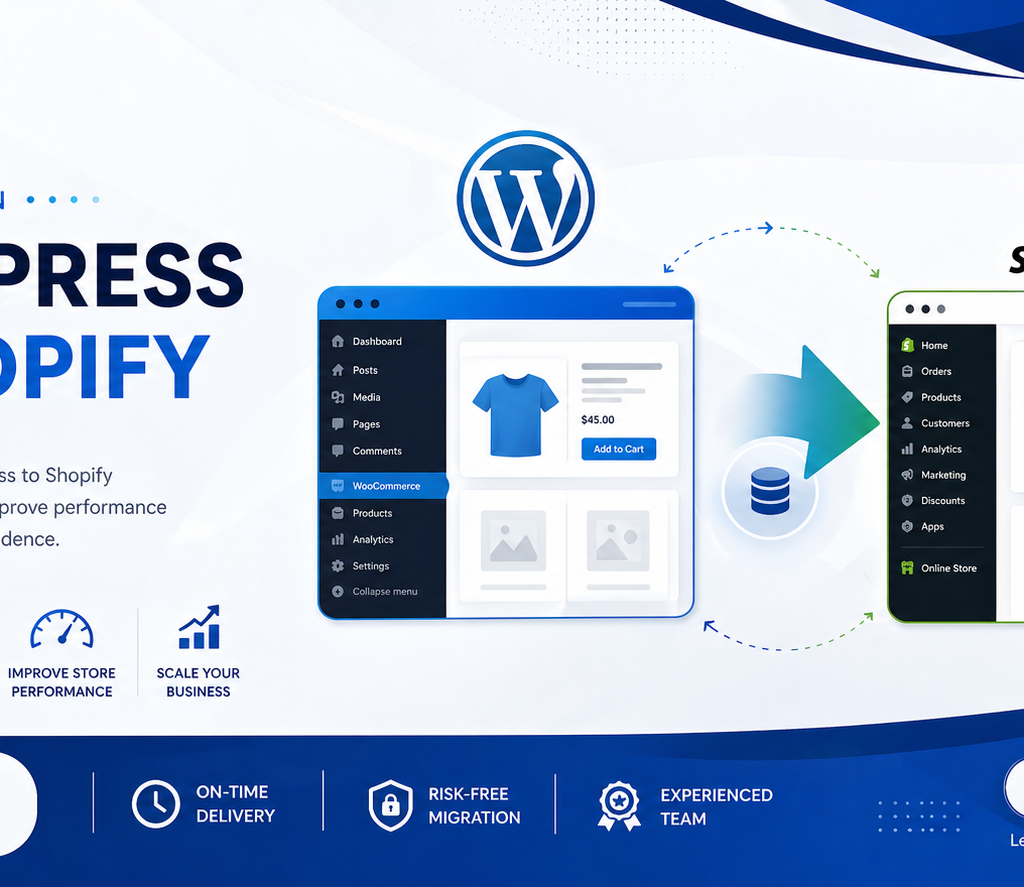
Shopify, on the other hand, is optimized for speed right out of the box. It’s built specifically for eCommerce, which means faster checkout, better mobile performance, and smoother navigation. Considering that over 70% of Shopify traffic comes from mobile users (Softpulse Infotech), this optimization becomes critical.
In contrast, WordPress requires caching plugins, CDN setups, and performance tuning just to keep up. It’s like buying a car that needs constant upgrades just to run smoothly.
Cost and Maintenance Differences
Let’s talk money—because that’s what matters at the end of the day. WordPress may look cheaper initially, but the hidden costs add up quickly:
| Feature | WordPress (WooCommerce) | Shopify |
| Hosting | Paid separately | Included |
| Security | Manual | Built-in |
| Maintenance | High | Minimal |
| Plugins | Often paid | Built-in features |
| Ease of Use | Complex | Beginner-friendly |
Over time, Shopify often becomes more cost-efficient because you spend less on developers, fixes, and maintenance. It’s like renting a fully serviced apartment versus owning a house that constantly needs repairs.
Pre-Migration Checklist
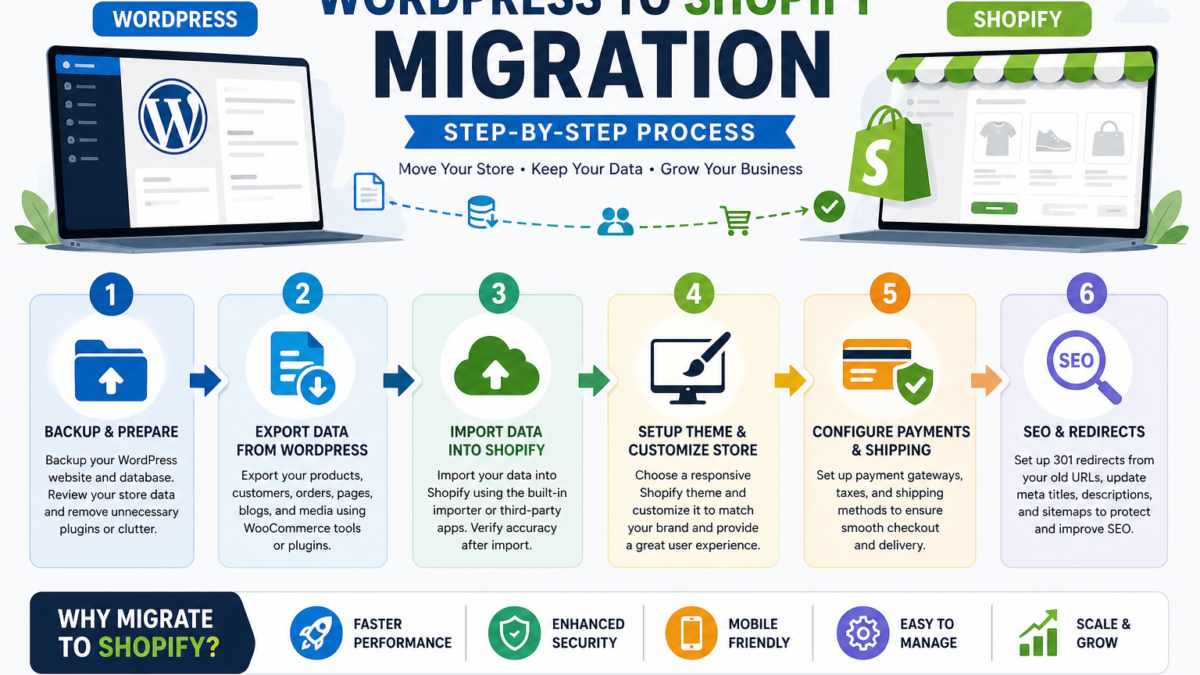
Backup and Audit Your Website
Before you even think about migrating, you need a solid backup. This is your safety net. Imagine moving houses—you wouldn’t leave your valuables behind, right? The same logic applies here.
Start by backing up your entire WordPress site, including files, databases, and media. Then conduct a full audit. Identify what’s working, what’s not, and what can be left behind. This is your chance to clean up unnecessary clutter.
Identify Data to Migrate
Not everything needs to move. Focus on critical data:
- Products
- Customers
- Orders
- Blog content
- SEO data
This step is crucial because migrating unnecessary data can slow down your new Shopify store and create confusion.
Step-by-Step WordPress to Shopify Migration
Step 1 – Create Shopify Account
Start by setting up your Shopify account. Choose a plan based on your business size. Shopify offers a trial, so you can explore features before committing.
Step 2 – Export Data from WordPress
Products and Categories
Export your product data using WooCommerce export tools. Ensure everything is properly formatted—titles, descriptions, prices, and images.
Customer Data
Customer data is gold. Export it carefully, including emails, order history, and addresses.
Step 3 – Import Data into Shopify
Use Shopify’s import tool or third-party apps to upload your data. Double-check everything after importing. Even small errors can create big issues later.
Step 4 – Choose and Customize Theme
Shopify offers over 170 themes, both free and paid (Softpulse Infotech). Choose one that matches your brand identity and customize it for your audience.
Step 5 – Set Up Payments and Shipping
Configure payment gateways, taxes, and shipping options. Shopify makes this easy with built-in integrations.
Step 6 – SEO Migration and URL Redirects
This step is critical. Set up 301 redirects from old URLs to new ones to maintain SEO rankings. Keep meta titles, descriptions, and keywords intact.
Migration Timeline & Cost in Texas
Cost Breakdown
Migration costs vary depending on complexity:
| Type | Cost Range |
| DIY Migration | $0 – $200 |
| Freelancer | $300 – $1500 |
| Agency (Texas) | $1000 – $5000 |
Expected Timeline
- Small store: 2–4 weeks
- Medium store: 6–10 weeks
- Large store: 12+ weeks (Propero)
Common Migration Mistakes to Avoid
Migration sounds simple, but mistakes can cost you traffic and revenue. One of the biggest errors is ignoring SEO. If you don’t set up redirects properly, your rankings can drop overnight.
Another common issue is poor data mapping. Imagine importing products with missing images or incorrect prices—it damages trust instantly. Also, skipping testing is like launching a rocket without checking the fuel.
Benefits After Migration
Once the migration is complete, the difference feels like night and day. Shopify offers:
- Faster performance
- Better user experience
- Built-in security
- Easier management
Businesses often report higher conversions and fewer technical headaches. And honestly, that peace of mind is priceless.
Conclusion
Migrating from WordPress to Shopify isn’t just a technical move—it’s a strategic upgrade. If your business in Texas is growing and your current platform feels like it’s holding you back, this shift can unlock new opportunities. With better speed, scalability, and ease of use, Shopify allows you to focus on what really matters: growing your brand and increasing sales.
FAQs
1. Will I lose SEO rankings after migration?
Not if done correctly. Proper redirects and SEO mapping will preserve rankings.
2. How long does migration take?
It depends on store size, but typically 2–12 weeks.
3. Is Shopify better than WordPress for eCommerce?
For most businesses, yes. Shopify is easier, faster, and more scalable.
4. Can I migrate my blog content too?
Yes, blog posts and pages can be transferred easily.